






Fast Shipping
Carrier information

20k products
Payment methods

24/7 Support
Unlimited help desk

2-day Delivery
Track or off orders
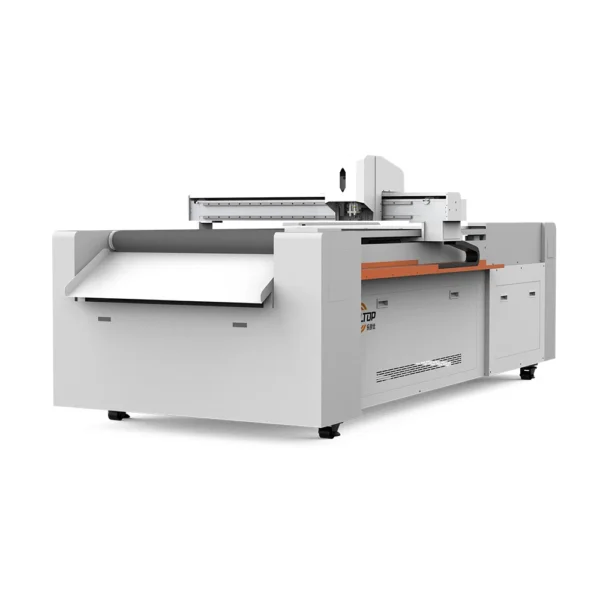
Material-specific tool configuration — every T-series CNC oscillating knife cutting plotter ships with a consumables and tool head list matched to your verified material samples, not a generic catalog page.
Technical Specifications
| Parameter | Value |
|---|---|
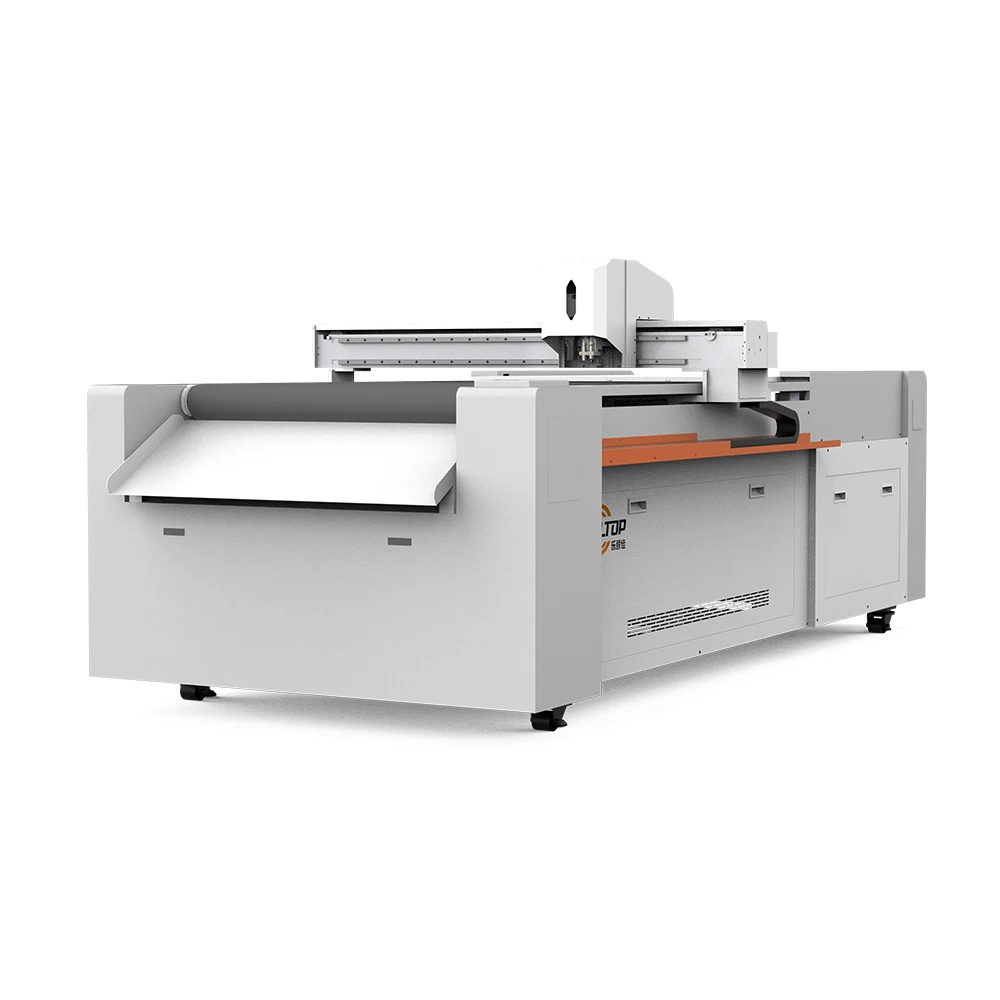
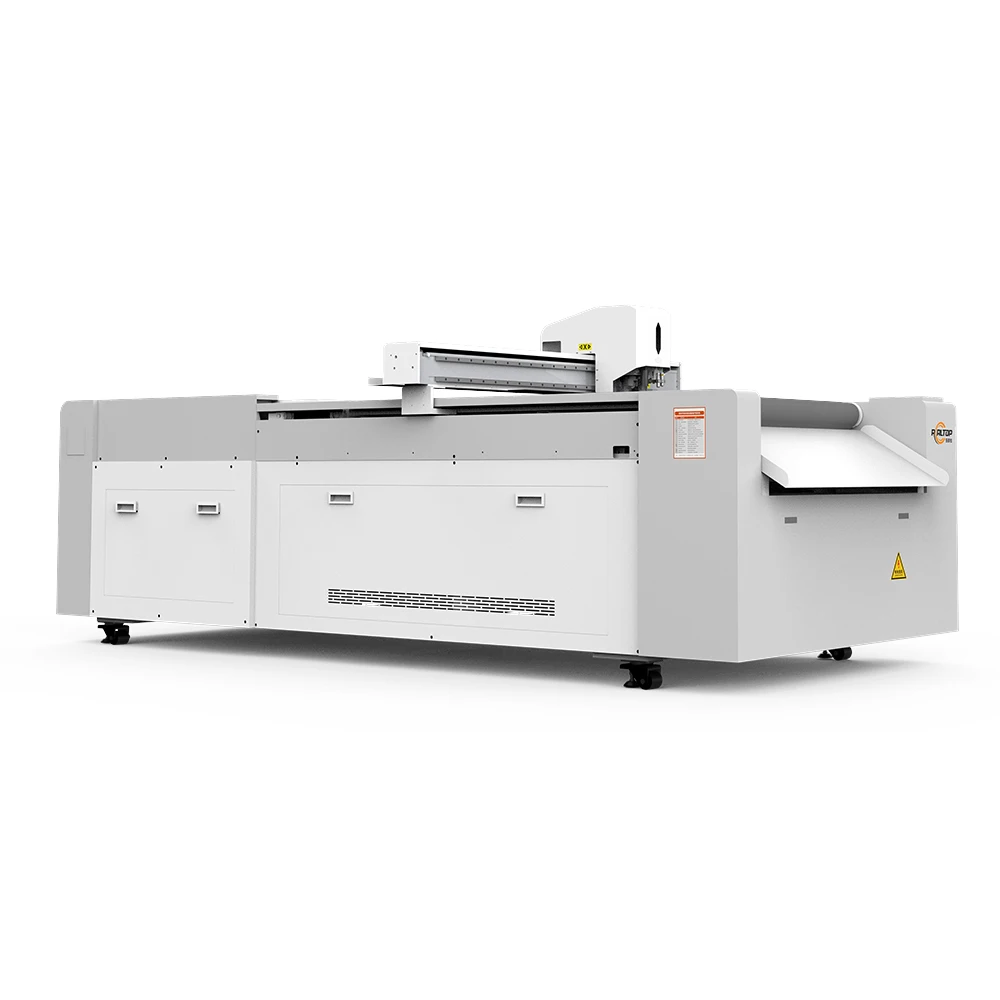
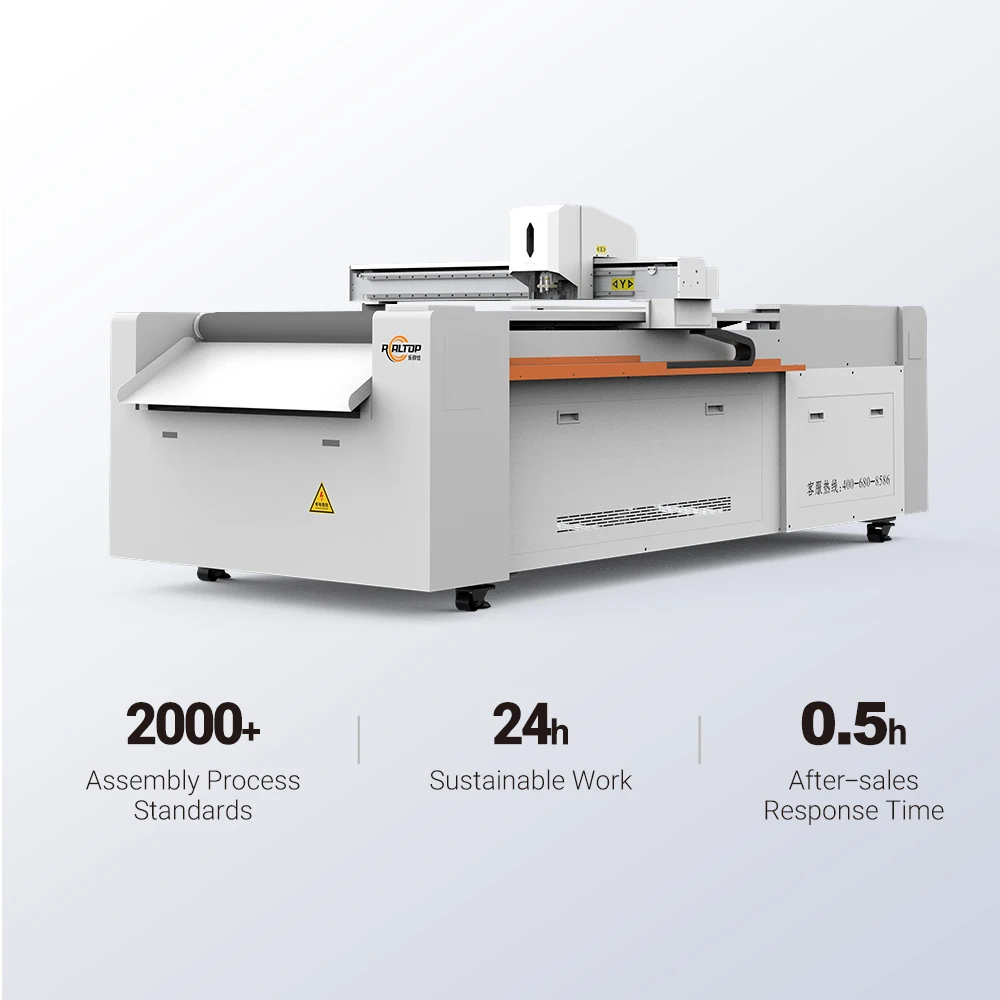
| Product Type | CNC Oscillating Knife Cutting Plotter |
| Working Area Options | 400×600 mm / 600×800 mm / 900×1200 mm |
| Cutting Speed | 0–1500 mm/s |
| Cutting Thickness | ≤ 20 mm (material-dependent; basis not stated in source) |
| Cutting Accuracy | ±0.1 mm |
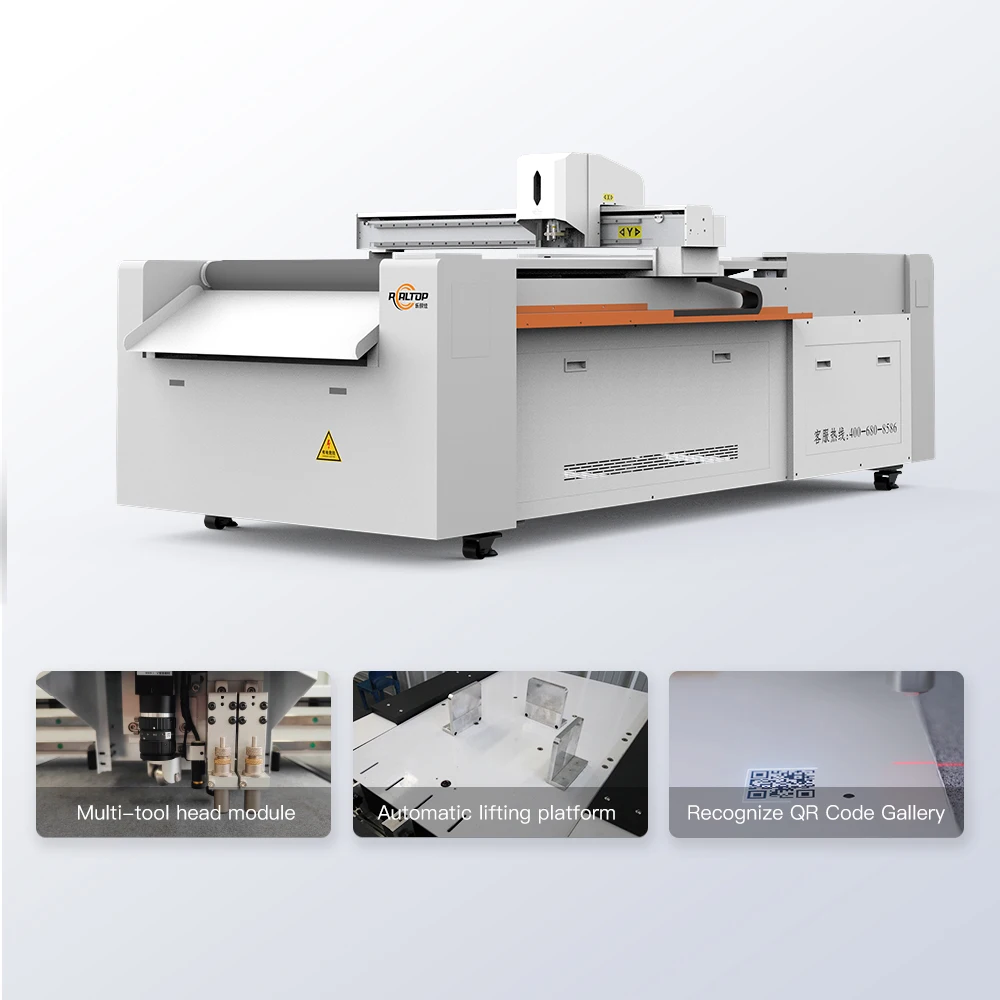
| Available Tool Heads | Oscillating knife, creasing wheel, kiss cutting tool, marking pen, CCD camera |
| Vacuum Pump Power | 2.5 kW / 3.2 kW |
| Voltage Compatibility | 110V / 220V (configurable by region) |
| Supported File Formats | PLT, DXF, AI, PDF |
| Safety Equipment | Infrared sensor array, emergency stop |
| Control System Language | English, Russian, Italian, Chinese (custom languages available) |
| Assembly Format | Compact desktop structure |
Application Suitability
| Application | Material or Output |
|---|---|
| Packaging prototype sampling | Printed carton, corrugated cardboard, cardstock |
| Short-run carton sample making | Foldable box prototypes with creasing and contour cutting |
| Advertising graphics and decals | Self-adhesive vinyl, window clings, reflective film |
| Cultural and craft design | Paper-cut lamps, leather bookmarks, 3D greeting cards |
| Light-industry gaskets and tags | Electronic foam gaskets, PU leather tags and keychains |
Why "Up to 20mm" Means Almost Nothing Without the Material Name
The cutting depth ceiling changes entirely depending on substrate density and tool head choice — never accept a blanket thickness claim.
I once walked into a packaging workshop where the buyer had specified a CNC oscillating knife cutting plotter based on working area and a generic maximum cutting thickness figure. When the first batch of dense corrugated board arrived, the oscillating knife stalled mid-sheet, leaving ragged edges and crushed flutes [NEED_CITE: material density impact on oscillating knife cutting depth]. The problem was not the machine — it was that the thickness rating had never been verified against the actual substrate. With the T-series, every thickness figure must be tied to a specific material type, density, and tool head combination before the configuration is locked in.
Matching the Tool Head to the Substrate, Not the Brochure
An oscillating knife slices cleanly through corrugated cardboard and foam, but pressing that same blade into self-adhesive vinyl produces drag marks and edge lift. The T-series supports multiple tool heads — oscillating knife, creasing wheel, kiss cutting tool, and marking pen — each engineered for a distinct material behavior. A packaging sample maker running printed carton needs the oscillating knife for contour cuts paired with the creasing wheel for fold lines in the same setup, eliminating secondary tool changes. Choosing the correct CNC oscillating knife cutting plotter configuration starts with the material, not the cutting area.
CCD Camera Positioning for Printed Contour Work
When cutting printed carton or vinyl decals, the cut path must align precisely with the printed image. The integrated CCD camera reads registration marks on the sheet and adjusts the cut trajectory in real time, compensating for print stretch or feed distortion [NEED_CITE: CCD registration mark recognition accuracy in digital cutting]. This matters at production speed, where even slight misalignment renders a batch unsellable. Before confirming the order, the camera tracking should be validated on your own printed sheets at your target feed rate — not only during a slow demonstration run.
Reading the Specs That Actually Affect Your Output
The ±0.1 mm repeat positioning accuracy determines whether intricate fonts and tight-curve patterns hold their shape across a production run — critical for cultural paper-cut designs and detailed packaging prototypes. The vacuum pump options (2.5 kW or 3.2 kW) govern how firmly the table holds the sheet flat, but zoning layout is equally important: a large undivided vacuum zone will fail to grip small die-cut parts, causing them to lift and shift during the final cut passes. The supported file formats (PLT, DXF, AI, PDF) determine whether your existing design pipeline connects directly to the machine controller without intermediate conversion steps that introduce geometry errors. Desktop-format assembly means the unit arrives largely pre-assembled, reducing on-site commissioning time for workshops with limited floor space.
The Hidden Cost of Specifying by Working Area Alone
Selecting a flatbed cutter purely on table size is one of the most common procurement errors in this category. A buyer who needs to cut small leather tags on a 900×1200 mm table without proper vacuum zoning will watch parts lift and shift during the final passes, producing scrap instead of sellable product [NEED_CITE: vacuum hold-down requirements for small-part knife cutting]. The same applies to voltage: a unit wired for 220V/50Hz arriving in a 110V/60Hz market will not simply run slower — the control electronics and vacuum pump motor can suffer immediate damage. These issues surface after shipment, when returns and field corrections are costly and slow.
Why Buyers Source This Machine Series Here
The in-house design and production model covers both the mechanical frame and the tool head configuration, so cutting method is matched to material rather than forced into a single approach. Every CNC oscillating knife cutting plotter order begins with sample cutting on the buyer’s own substrate, producing a documented report that confirms edge quality, cutting depth, and achievable speed before commitment. Software compatibility — file formats, nesting workflow, and control language — is verified against the buyer’s existing design pipeline prior to production. Voltage, plug type, and safety labeling are confirmed region by region so the machine arrives ready to power on, not waiting for a local electrician to rewire the panel.
Documentation & Verification
- Sample cutting report run on your specific material type, thickness, and sheet format
- Electrical schematic confirming voltage, frequency, and plug type for your facility
- Tool head and vacuum table zoning configuration list matched to your part sizes
- Software license and file format compatibility note for PLT, DXF, AI, PDF workflows
- Factory test record documenting positioning accuracy and CCD tracking before dispatch
Installation, Commissioning & Support
- Compact desktop structure requires a stable bench surface rated for the unit weight and vacuum pump vibration
- Dedicated circuit matching confirmed voltage (110V or 220V) with correct breaker rating for the vacuum pump and spindle draw
- Infrared sensor calibration and emergency stop circuit tested on-site before first production run
- Control panel language set to operator preference from available options including English, Russian, Italian, or Chinese
- Consumable blade and creasing wheel stock specified to your material and shift volume at time of order
Preparing Your Inquiry
To receive an accurate configuration rather than a generic quote, provide your primary material type with thickness range, your typical sheet or roll size, and your target daily part volume. Include your facility voltage and frequency, preferred control language, and whether your design files originate in AI, DXF, or another format. If your work involves printed contour cutting, send a sample printed sheet so CCD tracking can be evaluated against your actual registration mark layout.
Frequently Asked Questions
Q: How is the maximum cutting thickness verified for my material?
A: The stated thickness limit varies by substrate density and tool head. Before order confirmation, a sample cutting test is run on your actual material — documenting which tool head, blade type, and pass strategy produce a clean edge at your required depth. Generic thickness figures without material context do not translate to production conditions.
Q: Which tool head should I use for cardboard versus vinyl?
A: Corrugated cardboard and cardstock typically require the oscillating knife for contour cuts and the creasing wheel for fold lines. Self-adhesive vinyl and window clings are better suited to the kiss cutting tool, which cuts the face material without scoring the backing liner. The correct head is specified during the sample cutting stage.
Q: Can the CCD camera track my printed marks at full cutting speed?
A: The CCD system reads registration marks and adjusts the cut path dynamically, but performance depends on mark contrast, print quality, and feed speed. Validation on your printed sheets at your target production speed — not just during setup — is part of the pre-order sample cutting process.
Q: What vacuum table zoning options exist for small parts?
A: The vacuum table can be divided into zones so that suction concentrates on the area where small parts are being cut, preventing lift and shift. The zoning layout is configured based on your typical part size and sheet layout, confirmed during the specification review before production.


商品评价
Clear filtersThere are no reviews yet.